7 Factors Behind Wasted Ad Spend in Amazon PPC Campaigns
Learn what leads to wasted ad spend in Amazon PPC and how to prevent it by improving targeting, bids, campaign structure, branded spend, and ASIN-level profitability.
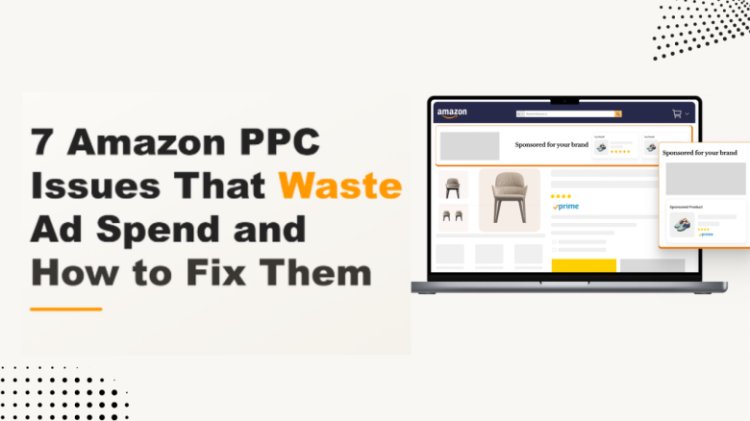
Table of Contents
Wasted Ad Spend: 7 Factors Affecting Profit Margins in Amazon PPC Campaigns
#1 Insufficient or No Negative Keyword Usage
#2 Unmanaged Automatic Campaigns Wasting Ad Spend
#3 Broad Match Without Bid Controls
#4 Overspending on Branded Search Terms
#5 Ad Spend Allocated to Low-Performing ASINs
#6 Poor Campaign Segmentation and Keyword Targeting
#7 ACoS Targets Set Without Break-Even Analysis
The Framework: How to Prevent Amazon PPC Budget Waste
Step 1: Establish ASIN-Level Profitability Benchmarks
Step 2: Consolidate Advertising and Retail Performance Data
Step 3: Diagnose the Source of Wasted Ad Spend
Step 4: Prioritize Optimization Opportunities by Financial Impact
Step 5: Optimize Targeting, Bid Levels, and Budget Allocation
Step 6: Measure Post-Optimization Performance Against the Baseline
Step 7: Monitor and Review Amazon PPC Performance
Strengthen Amazon PPC Campaign Profitability Through Better Budget Control
How much of your Amazon PPC budget is creating incremental profit, and how much is simply receiving credit for sales your listings may have earned anyway?
An account can maintain a blended ACoS while margin leakage builds beneath it. Strong branded campaigns and high-converting ASINs may offset spend lost to irrelevant queries, poorly calibrated bids, redundant targeting, or products whose margins cannot support the current CPC.
For sellers managing large catalogs, the challenge is not simply reducing ad spend. It is tracing that spend back to the search term, target, campaign, placement, and ASIN responsible for the result, then determining which advertising activity drives profitable sales and which delivers limited return.
Wasted Ad Spend: 7 Factors Affecting Profit Margins in Amazon PPC Campaigns
#1 Insufficient or No Negative Keyword Usage
When negative keywords are not used properly, Amazon ads continue appearing for irrelevant or low-intent shopper searches, which increases ad spend with no conversions.
For example, a seller advertising a premium leather laptop bag may receive clicks for searches such as “cheap laptop bag” or “laptop bag under $20.” These are not the target shoppers for that product. Adding “cheap” and “under $20” as negative keywords prevents the product listing from being advertised for searches containing those terms.
How to Fix It:
● Identify Non-Converting Queries: Review the search-term report for irrelevant searches and terms that have exceeded an acceptable spend threshold without generating sales that justify the spend.
● Select the Appropriate Negative Match Type: Use Negative Exact to exclude one specific shopper query, while Negative Phrase blocks searches containing the complete excluded phrase.
|
Match Type |
Best Used For |
Example |
|
Negative Exact Match |
Excluding one specific shopper query without broadly blocking related searches |
Add “laptop bag under $20” as a negative exact keyword. The ad will not be served for that exact query or its close variations. |
|
Negative Phrase Match |
Excluding all shopper queries that contain a particular phrase |
Add “under $20” as a negative phrase keyword. The ad will not be served for queries such as “leather laptop bag under $20” or “laptop bag under $20 for men.” |
● Use Campaign-Level Negatives: These search terms apply across every ad group within a campaign. Use them when a shopper query is irrelevant to all products or targets in that campaign, so the ad is not served for the term anywhere within the campaign.
● Use Ad Group-Level Negatives: These search terms apply only to the selected ad group. Use them when a query is unsuitable for one product group but still relevant to another, allowing traffic to be directed toward the more appropriate ad group instead of being blocked campaign-wide.
● Monitor Queries for New Negative Terms: Automatic, broad-match, and phrase-match targeting can introduce new shopper queries, so update negative keywords according to search-term volume, ad spend, conversions, and campaign profitability.
#2 Unmanaged Automatic Campaigns Wasting Ad Spend
Automatic Sponsored Products campaigns support keyword and product discovery by matching ads across close match, loose match, substitutes, and complements. However, without regular bid and search-term optimization, campaigns can keep spending on non-converting search terms and product targets that generate clicks but fail to meet the campaign’s attributed-order, ACoS, or ROAS targets.
Using one default bid across every automatic targeting group can further reduce efficiency because each group converts at a different rate and returns a different ACoS. A single bid cannot match those differences, so it tends to overpay for low-intent groups such as loose match and complements while underpaying higher-intent close matches.
How to Fix It:
● Set Bids by Targeting Group: Assign separate bids to close match, loose match, substitutes, and complements based on their CPC, attributed orders, ACoS, and ROAS performance.
● Move Proven Targets into Manual Campaigns: Transfer converting shopper search terms into manual keyword campaigns and profitable ASIN placements into product-targeting campaigns for more precise bid management.
● Exclude Irrelevant Search and Product Targets: Add irrelevant queries and consistently underperforming search terms or ASINs as negative targets after they have accumulated enough clicks and spend for evaluation.
● Optimize Bids by Hour: Review hourly campaign reports to identify periods with stronger conversion rates or ROAS. Maintain a controlled base bid and use schedule bid rules to increase bids during proven high-performing timeframes rather than assuming every overnight hour performs poorly.
#3 Broad Match Without Bid Controls
Broad match supports keyword discovery by letting Amazon match ads to a wide range of related shopper searches. Using it as the primary targeting model, however, gives Amazon more freedom to serve ads for loosely related queries. Across a large catalog, this can spread spend across many low-intent searches and make it harder to concentrate budget on terms with proven purchase intent.
For example, a seller bidding on the broad-match keyword "stainless steel water bottle" may have ads served for loosely related searches such as "plastic water bottle" or "water bottle cleaning brush." These searches can draw clicks without matching the product's purchase intent, which raises spend without adding orders.
How to Fix It:
● Set Conservative Bids on Broad Match: Amazon recommends bidding lowest on broad match relative to phrase and exact, because broad match carries the least certain purchase intent. Keeping broad-match bids low caps the cost of each exploratory click while a term proves out.
● Migrate Converting Terms to Exact or Phrase Match: Once a search term produces consistent orders at an acceptable ACoS, move it into a phrase- or exact-match campaign where bids and budgets can be managed more precisely.
#4 Overspending on Branded Search Terms
Branded Sponsored Products campaigns often report strong conversion rates and low ACoS because shoppers searching for the brand already have high purchase intent. However, paid ads may capture clicks and orders that the brand could have received through its existing organic position, particularly when the product already ranks prominently for the branded query.
For example, a shopper searching for “Acme Hydro” is already looking for that brand. A Sponsored Products placement may therefore generate an attributed order without confirming whether the advertising created an additional sale or redirected an organic conversion.
How to Fix It:
● Measure Branded Incrementality: Reduce bids in branded keywords or pause selected branded terms for a controlled period, then compare total sales, organic sales, paid sales, and branded search performance with the established baseline.
● Set Bids According to Incremental Value: Maintain higher bids only where Sponsored Products Campaigns generate measurable additional sales, protect priority placements, or support a defined launch or promotional objective.
● Use Branded Campaigns for Brand Defense: Bid on branded keywords where competitor ads present a material risk to branded search visibility rather than treating branded traffic as a primary customer-acquisition channel.
● Separate Branded and Non-Branded Reporting: Report branded and non-branded campaign performance independently so the lower ACoS typically associated with branded demand does not reduce visibility into non-branded acquisition costs.
#5 Ad Spend Allocated to Low-Performing ASINs
When multiple size, color, or pack-size variations are advertised under one parent ASIN, campaign spend may be distributed to child ASINs with lower conversion rates, reduced Featured Offer eligibility, limited inventory availability, or lower contribution margin per order. Shared campaign budgets and targeting structures can allow these variations to consume spend that may generate stronger returns when allocated to higher-converting child ASINs.
How to Fix It:
● Review Performance by Child ASIN: Compare conversion rate, attributed orders, ACoS, ROAS, Featured Offer percentage, inventory status, selling price, and contribution margin.
● Separate Top-Performing Variations: Place high-converting child ASINs in dedicated campaigns or ad groups for more precise budget and bid management.
● Limit Inefficient Spend: Reduce bids or pause child ASINs that exceed the defined click or spend threshold without meeting ACoS, ROAS, or margin targets.
● Evaluate Retail Readiness: Account for price differences, ratings, review volume, inventory levels, seasonality, and variation demand before reducing ad exposure.
#6 Poor Campaign Segmentation and Keyword Targeting
Poor campaign segmentation limits visibility into how individual advertising objectives, targeting methods, match types, and advertised ASINs use budget and generate attributed sales. When branded keywords, generic category terms, competitor targets, discovery activity, and unrelated product groups are managed within the same campaign structure, bids, budgets, placements, and performance targets cannot be adjusted with sufficient precision.
The same keyword or product target may also appear across multiple campaigns without a separate objective, bidding strategy, or ASIN group. This duplication does not cause self-competition in the auction, but it can distribute impressions, clicks, ad spend, and attributed sales across several campaign records, making performance evaluation and budget allocation less reliable.
How to Fix It:
● Establish a Defined Campaign Taxonomy: Structure campaigns by advertising objective, targeting method, product category, ASIN group, and shopper search intent. Separate automatic targeting, manual keyword targeting, and product targeting when they require independent bids or budgets.
● Segment Advertised ASINs: Group products with comparable pricing, conversion performance, inventory availability, margin requirements, and target ACoS benchmarks.
● Apply Match-Type Segmentation Where Necessary: Separate broad, phrase, and exact-match keywords when they require different bids, budgets, placement adjustments, or performance thresholds.
● Consolidate Redundant Targeting: Remove duplicate keywords when the campaigns share the same advertised ASINs, match type, bidding strategy, and advertising objective.
● Evaluate Structure-Level Performance: Review campaign, ad-group, target, placement, and advertised-product results to determine whether the existing segmentation supports precise bid and budget management.
#7 ACoS Targets Set Without Break-Even Analysis
A single ACoS target across the product catalog does not account for differences in selling price, cost of goods sold, Amazon referral fees, fulfillment fees, promotional discounts, and return-related costs. An acceptable account-level ACoS may therefore conceal individual ASINs operating above their break-even ACoS.
For example, an ASIN with a 35% pre-advertising margin can operate at a 25% ACoS and retain a 10% post-advertising margin before fixed costs. An ASIN with an 18% pre-advertising margin becomes unprofitable at the same 25% ACoS.
How to Fix It:
● Calculate Break-Even ACoS by ASIN: Determine the maximum percentage of ad-attributed revenue available for advertising after deducting product costs, Amazon fees, fulfillment expenses, promotional discounts, and other variable costs.
● Set an ASIN-Level Target ACoS: Establish a target below the break-even ACoS based on the required post-advertising contribution margin, product lifecycle stage, and campaign objective.
● Manage Spend Against ASIN-Level Thresholds: Compare actual ACoS, conversion rate, CPC, ad-attributed orders, and ad-attributed sales with the target established for each ASIN. Reduce bids, restrict budget allocation, or pause advertising when performance remains above the target after sufficient data has accumulated.
● Validate Total Product Profitability: Review ACoS alongside TACoS, total sales, and post-advertising contribution margin to determine whether paid activity supports profitable product growth.
The Framework: How to Prevent Amazon PPC Budget Waste
Step 1: Establish ASIN-Level Profitability Benchmarks
Calculate break-even ACoS and target ACoS for each advertised ASIN using selling price, cost of goods sold, Amazon fees, fulfillment costs, promotional discounts, and other variable expenses. These benchmarks define the advertising spend each product can support while maintaining the required contribution margin.
Step 2: Consolidate Advertising and Retail Performance Data
Review campaign, search-term, targeting, placement, advertised-product, and budget reports alongside inventory availability, Featured Offer status, pricing, conversion rate, and product margin. This combined view helps determine whether inefficient spend originates from campaign execution, targeting relevance, or the retail readiness of the advertised ASIN.
Step 3: Diagnose the Source of Wasted Ad Spend
Classify each performance issue by its underlying source, such as irrelevant shopper queries, underperforming automatic targets, excessive CPCs, ineffective placement adjustments, redundant targeting, low-converting ASINs, or ACoS targets that exceed product-level profitability thresholds.
Step 4: Prioritize Optimization Opportunities by Financial Impact
Rank identified issues according to ad spend, attributed orders, conversion rate, ACoS variance, ROAS, and estimated contribution-margin impact. High-spend targets that exceed established performance thresholds should receive priority over low-volume targets that have not accumulated sufficient conversion data.
Step 5: Optimize Targeting, Bid Levels, and Budget Allocation
Add negative keywords or negative product targets where traffic is irrelevant. Adjust keyword, product-target, automatic-targeting-group, and placement bids according to conversion performance and target ACoS. Reallocate daily budgets toward campaigns meeting profitability benchmarks, and restructure campaigns only where mixed objectives or product groups prevent independent bid and budget management.
Step 6: Measure Post-Optimization Performance Against the Baseline
Compare CPC, conversion rate, attributed orders, attributed sales, ACoS, ROAS, TACoS, and total product sales with the pre-optimization baseline. Evaluate branded keyword changes against paid, organic, and total sales to determine whether advertising generated incremental demand or redirected existing conversions.
Step 7: Monitor and Review Amazon PPC Performance
Review search terms, targeting performance, placement efficiency, budget utilization, inventory status, and ASIN eligibility at intervals appropriate to account spend and order volume. Conduct periodic campaign-structure and ASIN-level profitability reviews so bids, budgets, and exclusions remain aligned with current performance rather than historical results.
Strengthen Amazon PPC Campaign Profitability Through Better Budget Control
Amazon PPC budget leakage is rarely resolved by reducing a single bid, pausing a campaign, or updating negative keywords. Sellers need a sustainable process that determines where spend should be reduced, where it should remain stable, and which campaigns can support additional investment.
The Amazon PPC audit findings should therefore be converted into an action plan based on financial impact and implementation urgency. Immediate changes can address confirmed wasted spend, while structural improvements can strengthen campaign segmentation, reporting accuracy, and product-level budget allocation over time.
The objective is not simply to spend less. It is to allocate advertising investment toward campaigns and ASINs that can generate additional sales without exceeding their profitability thresholds. This can be achieved through effective Amazon PPC campaign management, which includes regular performance reviews and decisions based on current campaign and ASIN-level data.
Author Bio: Sophie Hayes is an eCommerce consultant and a keen blogger, currently working at Team4eCom (Full-Service eCommerce Agency). With over 11 years of experience in the industry, she specializes in topics revolving around the eCommerce domain, such as online marketing, eCommerce PPC, store optimization, listing optimization, and product listing. Moreover, she has a great knowledge of the leading eCommerce platforms and marketplaces like Amazon, eBay, Walmart, Target, and others. She incorporates this understanding in her write-ups to help online retailers and businesses follow the best practices, take their business to new heights, and gain a grounded footing in the market.
What's Your Reaction?